Your Shopify theme controls how products are shown, how fast pages load and how easily customers can buy. Switching themes later is possible but time-consuming, so it pays to choose carefully. Here is a practical 12-point checklist for evaluating both free and paid Shopify themes.
1. Online Store 2.0 support
Modern themes use sections on every page and JSON templates, so you can rearrange content from the theme editor without code. Avoid themes that do not support Online Store 2.0 unless you have a specific reason.
2. Fit with your catalogue
A store with 20 hero products needs different layouts than one with 2,000 SKUs. Check collection pages, filtering, product-page options (variants, bundles, size charts) and whether the demo uses a catalogue similar to yours.
3. Speed on a real phone
Test the demo on mobile with PageSpeed Insights. Heavy sliders, video backgrounds and many animations hurt speed. Read our website speed guide to understand what the scores mean.
4. Mobile-first design
Most shoppers browse on phones. Check the sticky add-to-cart, readable text, tap-friendly buttons and a fast, simple mobile menu.
5. Built-in features vs apps
Good themes include what most stores need: predictive search, quick view, mega menu, size charts, announcement bar. Every app you add later costs money and can slow the store, so features that are built in are valuable.
6. Customisation without code
Check how far colours, fonts, layouts and sections can be changed in the editor. If the demo you like relies on custom code, you will need a developer to match it.
7. Checkout and conversion elements
Trust badges, shipping information, reviews areas, upsell blocks and clear product media matter. Remember that checkout styling is more limited than the rest of the store and depends on your plan.
8. International selling
If you sell across borders, confirm multi-language support, multi-currency display, localisation of dates and numbers, and that long translations do not break the layout.
9. SEO basics
Look for clean heading structure, editable meta fields, image alt text support, breadcrumbs and structured data for products. Themes cannot replace good content, but poor markup makes SEO harder.
10. Accessibility
Colour contrast, keyboard navigation, visible focus states and screen-reader labels help every customer and reduce legal risk in some markets.
11. Support, updates and reputation
Check the last update date, release notes, documentation, support response time and reviews. A theme without updates will eventually clash with platform changes.
12. Total cost
Compare the theme price, required apps, custom work and monthly costs. A cheap Shopify theme from a reputable marketplace can be an excellent choice if it covers your needs, while a free theme is often enough to validate a new product idea.
| Option | Best for | Watch out for |
|---|---|---|
| Free Shopify theme | Testing a store, small catalogues | Fewer layouts and built-in features |
| Low-cost marketplace theme | Most growing stores | Update history, app dependencies |
| Premium / custom build | Brands with unique experience needs | Higher cost, development time |
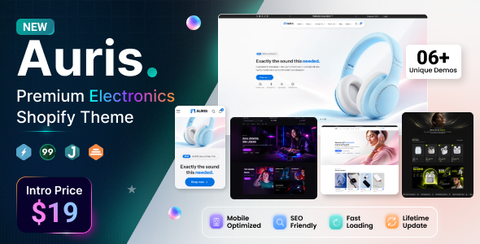
Compare real examples
Preview Shopify examples side by side in our template library (switch to the Shopify tab) and see stores we have built in the case studies. Not sure whether Shopify is the right platform at all? Read WordPress vs Shopify.